Claude Game Studio

Claude game development

Use Claude Code to build game code, connect art tools and run engine projects, choosing the workflow by your output.

A game in a web page

Edit HTML and JavaScript.

A custom 3D game prop

Model in Blender and export a GLB.

An editable engine project

Work in Godot scenes and scripts.

One task across three workflows

Change what the three pickups look like and keep the same win condition. The web game changes its geometry directly. The Blender path swaps a separate asset. The Godot path edits the script that creates the pickup nodes. Start with the file you want to edit again tomorrow.

Browser code · Gatehouse

What changes
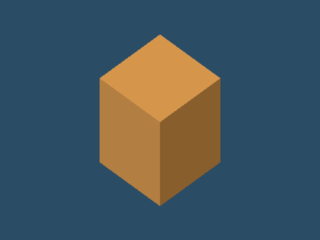
In gatehouse.html, widen each pickup box from 0.35 to 0.50 units along x and z. Keep the same height, color, positions and material. This is one geometry edit in the browser game.
0.35-unit pickup
Before · 0.35-unit pickup
0.50-unit pickup
After · 0.50-unit pickup
What you keep
Keep the HTML. It has the scene, visual geometry, movement and pickup rules in one file. The pinned Three.js import is the external dependency.
Check to repeat
Play the same route around the walls, collect all three beacons and return to the gate. The scripted route won with the original and widened boxes. The 0.55-unit pickup range is the same in both versions.

Blender MCP · Beacon Courtyard

What changes
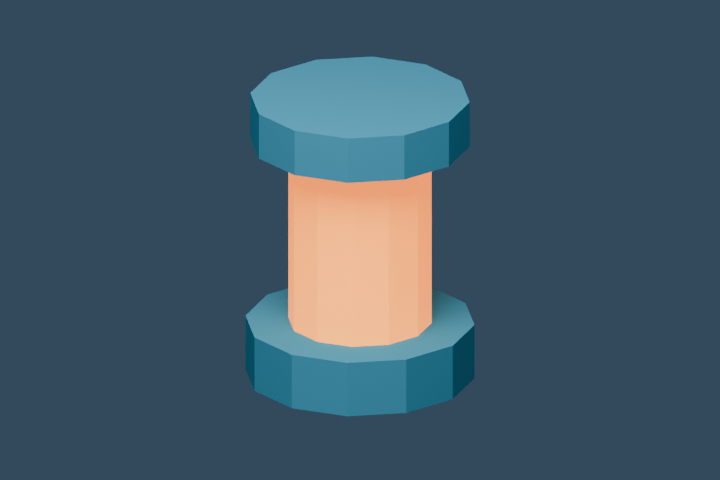
Swap the six-sided GLB for the 24-sided export. The foot, lens and roof are rounder at higher segmentation. Both models use the same materials and fit the same dimensions.
Six-sided beacon
Before · Six-sided beacon
24-sided beacon
After · 24-sided beacon
What you keep
Keep the Blender generation script, the exported GLB and the game folder that loads it. The model and game code are separate files, so you can swap the asset without changing the game rules.
Check to repeat
Select each model in the courtyard and compare the pickup silhouettes from the same camera. Our browser run loaded all three GLBs and completed the same three-pickup route with each one.

Godot · Beacon Run

What changes
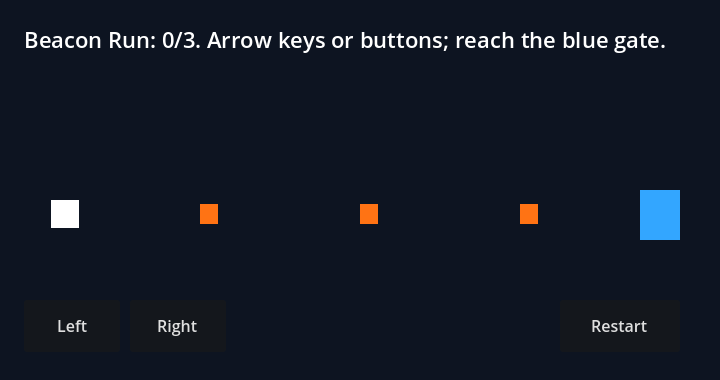
In main.gd, change the size of each pickup from 18 × 20 to 26 × 20. The script creates the pickups at startup. The scene still supplies the player, gate and instructions.
18 × 20 pickup
Before · 18 × 20 pickup
26 × 20 pickup
After · 26 × 20 pickup
What you keep
Keep project.godot, main.tscn and main.gd together so you can reopen the project in the editor and make further scene or script edits.
Check to repeat
Run the project and hold Right until the counter reaches three and the player reaches the gate. Our Godot 4.5.1 scripted runs collected the pickups at the same three x coordinates and reached the gate on physics frame 198 in both versions.

Download the browser replay results and Godot engine output. For browser build times and model usage, see the beginner guide’s build chart.

Choose where the next edit belongs

Change the rules in the game. If a pickup should require the player to get closer, edit the distance test in Gatehouse or the overlap threshold in Beacon Run. Try walking just outside the threshold, then inside it. Check that approaching a collected beacon again does not increment the counter and that restarting restores all three.

Change the art in Blender. For a pickup you expect to reuse, preserve the base, origin, size and orientation when exporting. Swap the GLB in the destination and look at it from the player’s camera. Open the Blender glTF export guide if you need to check axis or export settings.

Change the scene in Godot. Decide whether a node belongs in the scene or is created when the script runs. Beacon Run’s gate is a scene node. Its pickups are created by a loop in the script. Moving a pickup means editing that loop, then checking that its position still lies on the player’s route.

If Claude needs to act inside another app, see Anthropic’s MCP setup. Browser source edits can be made directly in the game folder. The specialist guides show which commands and tools were used with each app.

Change the visible pickups. Keep their locations, collection rules and win condition. Run the same route before and after, and show me which files changed.

Questions

Can Claude Code be used for game development?

Yes. Claude Code can edit a game's code, run commands and use connected MCP tools. Choose the output first: a browser game uses web code, a Blender asset uses a modelling application, and a Godot project uses scenes and scripts. Each path needs its own runtime check.

Is Claude Code good at making games?

It can build working small games when the scope, assets and tests are concrete. Start with one change that you can see and a round that you know how to finish. Ask Claude to keep the win condition and give you the files and steps to repeat the check.

Do I need MCP to make a game with Claude?

No. A browser game can be built by editing HTML and JavaScript and running a local server. MCP becomes useful when you want tools inside another application, such as exporting a Blender model or creating and running a Godot scene.

How do I choose between a browser game and Godot?

Choose a browser project when the result should be a web page you can open and share. Choose a Godot project when you want its scene editor, GDScript and engine workflow. Check the target platform's export requirements before committing to either route.