Godot MCP: set it up with Claude Code
Godot MCP gives Claude tools to create scenes, run projects and read Godot's debug output.
- Install Godot and Node.js, then check
godot --version. - Build the pinned server and use the command below with your absolute paths.
- Open
/mcpin Claude Code and requestget_godot_version.
claude mcp add --transport stdio godot -e GODOT_PATH="/absolute/path/to/godot" -- node /absolute/path/to/godot-mcp/build/index.jsTested with Godot 4.5.1 and Coding-Solo server source 0.1.1, revision 1209744, on 18 November 2026.
Download the projectChoose a server that changes scenes
The name Godot MCP covers several different integrations. A documentation server retrieves explanations of classes and APIs. A project-control server launches the editor or game, creates scene resources and collects output. Choose by the operation you need, then inspect the server's actual tool list before starting a build.
This guide uses Coding-Solo's Godot MCP source. Its listed tools include create_scene, add_node, run_project, get_debug_output and stop_project. The version and node calls below were executed through the real MCP connection; no documentation-search response was treated as an editor action.
The server describes its job as capturing debug output
. That feedback matters because the engine can identify a parser failure before a game ever becomes playable. Keep the returned output beside the changed script so a later edit can be checked against the same starting point.
Decide whether this is the project you want before installing additional tools. Godot gives you a scene editor and engine project. If your immediate goal is a small self-contained web example, the browser-game path starts directly from HTML and JavaScript. The workflow guide compares the outputs.
A browser kit and a Godot integration can support different parts of your work. The studio kit supplies browser-game starters and assets; the server tested here operates on Godot projects. Pick the destination you want to maintain, then give Claude the files and tools that belong to it.
Build the exact server revision
Use a separate folder for the server source. The commands below pin the revision tested for this guide. Its package requires Node.js 18 or later; the install builds build/index.js.
git clone https://github.com/Coding-Solo/godot-mcp.git
git -C godot-mcp checkout 1209744fad78f3998f98c7394fd0f6ef50da5281
cd godot-mcp
npm installThen run the Claude Code registration command above from your game folder. Replace both absolute paths. Do not point GODOT_PATH at a project folder or an application shortcut.
Godot's command-line documentation explains executable paths and the distinction between editor and project arguments. On macOS, the executable is inside the application bundle, commonly Godot.app/Contents/MacOS/Godot. On Windows and Linux, use the actual executable path.
Anthropic's MCP instructions cover registering a local stdio server. After registration, start a fresh Claude Code session if the tools are not listed. Ask for the engine version first; our server returned 4.5.1.stable.official.f62fdbde1. A successful version request establishes the executable connection before you start debugging scene edits.
Our test ran Godot under a Linux virtual display using software graphics. A desktop setup can use the normal application window. Keep the initial task small and avoid reading a software-rendered demonstration as a graphics-performance benchmark.
Create the scene and its three nodes
The sample starts with a project folder containing project.godot. The MCP server creates main.tscn with a Node2D root, then adds Player, Goal and Instructions. Use this request to describe the full intended round:
Use the connected Godot tools to create main.tscn with a Node2D root, then add Player and Goal ColorRect nodes and an Instructions Label. Write a script for a white player moving left and right, three amber pickups and a blue finish gate. Attach the script, run the project, read the debug output and stop it. Keep a full restart.The server creates a root named root in this revision. Preserve the actual name from the saved file when attaching the script or addressing child nodes. Inspect the scene text after each operation.
1. Create resources
MCP creates main.tscn, Player, Goal and Instructions in the project.
2. Attach the rules
File edits add main.gd and its external-resource reference to the scene.
3. Run and inspect
MCP starts Godot; get_debug_output returns the running game's messages.
4. Finish and restart
Collect all three pickups, reach the gate and reload a fresh round.
Read the parser error before repairing
We deliberately appended func broken( -> void: to the working script. The engine stopped with Parser Error: Expected parameter name.
The debug response identified res://main.gd. The scene had been created successfully; the invalid function declaration prevented its attached script from loading.
Remove that malformed declaration, save the script and run the same project again. The repaired output starts with R7_READY pickups=3 player_x=48 goal_x=640, reports each pickup, and ends with R7_WIN pickups=3 x=642.0 physics_frames=198. Those messages came from the actual engine run with scripted input.
Check the game-specific messages alongside the entire debug response. This virtual display also reported audio-device and V-Sync warnings. They describe the test environment; the parser message points to a source error. Changing a renderer option would not repair the malformed function declaration.
Read output while the game stays open
Our first successful automatic round quit as soon as it won. The next debug request returned No active Godot process.
In this server revision, process exit clears the active-process reference, so a later request cannot retrieve that session's buffered output. A completed run can therefore look like a missing run if you only ask afterwards.
The final test keeps the game open at the win screen. Request get_debug_output first, then stop_project. This order preserves the pickup and win messages and gives you a concrete result to inspect. If your project exits immediately, also capture its output through a direct command-line run while diagnosing the cause.
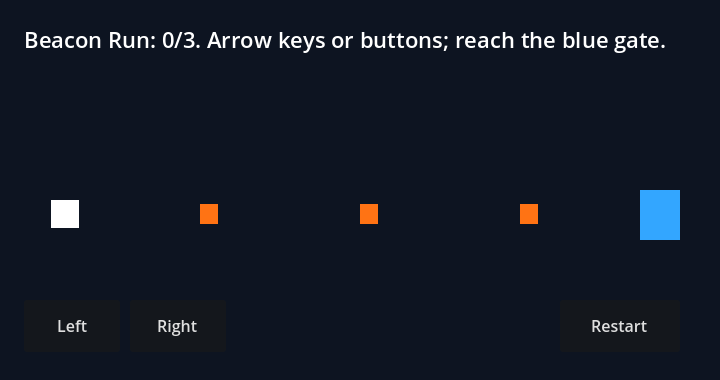
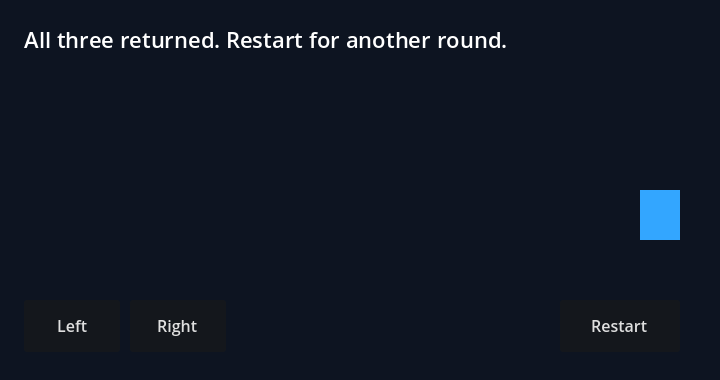
Unzip Beacon Run, import its project.godot into Godot and run the project. The ordinary player path uses arrows or the Left and Right buttons. Restart reloads the scene, restoring the player, pickups and win state. The teaching source is CC0.
The integration measurements preserve tool timings, the intentional error and repaired output. The source files are included so you can change the pickup spacing or movement speed and repeat the same round. For a next art step, the Blender MCP guide follows an original model through export into a game.
Questions
What is Godot MCP?
Godot MCP is an MCP server that exposes Godot-related tools to an AI client. Servers differ: some control projects and scenes, while others search documentation. This guide tests Coding-Solo's server, which creates scenes and nodes, runs projects and returns debug output.
How do I set up Godot MCP with Claude Code?
Install Godot and Node.js, build the pinned server source, then register its built JavaScript entry point with claude mcp add. Set GODOT_PATH to your actual executable. In Claude Code, use /mcp to check the connection and ask get_godot_version before changing a scene.
Can Godot MCP create a game scene?
Yes. Our actual run created a Node2D scene with Player, Goal and Instructions nodes through MCP calls. Ordinary file edits added and attached the GDScript. The repaired project then collected three pickups and reached its win condition in the running Godot engine with scripted input.
Why does Godot MCP say No active Godot process?
This server returns that message when it no longer holds a running game process. Read debug output while the game remains open, then stop it through the server. In our first test, the game's automatic exit discarded the output before the next debug request; keeping it open preserved the full result.